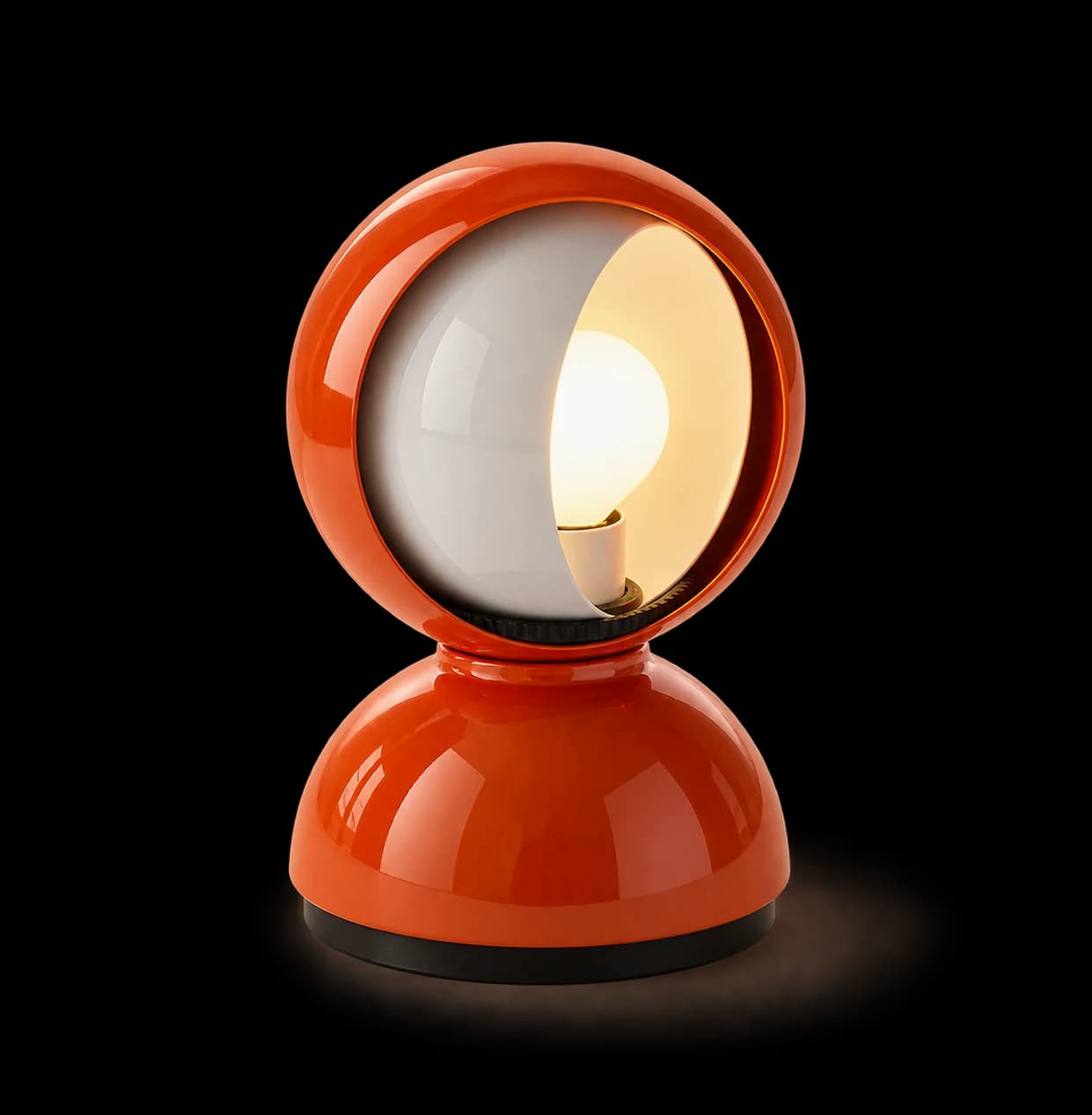
Grab the round shade and drag horizontally, or scroll sideways over it with a trackpad. Use Shift and the mouse wheel for horizontal scrolling. Keep dragging through a full turn to reveal the bulb again. Release to keep your chosen position. Arrow keys rotate the shade; Home closes it and End opens it.
Eclisse: an interactive study of light
I’m very into interior design and am always tracking down design-forward pieces, especially lamps and chairs. Ones with an interesting backstory or a clever mechanism fascinate me. I wanted to explore what they’d feel like without having to see them in person—and make that discovery more interactive than scrolling through product photos.
Eclisse felt like a good place to start. Designed by Vico Magistretti for Artemide in 1965, its rotating inner shade passes across the bulb like the Moon covering the Sun. I thought this was a very cool light interaction to recreate in a browser. About the original lamp.
I built a browser version where you can drag or scroll horizontally to rotate the shade. As it opens, the bulb appears and warm light spreads into the surrounding space. I kept the page quiet, with no visible text or controls, so the object could be the experience.
I used GPT-6.1 Sol and GPT-6 Astra to build and iterate through browser previews, refining the shade’s rotation, the bulb’s placement, and how the light responded. When the procedural 3D model didn’t capture the material quality I wanted, I switched to animating layers within a detailed image, preserving the lamp’s reflections and proportions. Built with Next.js, React, TypeScript, Canvas 2D, and CSS, the final prototype connects the shade’s opening to the surrounding glow.
This also helped me develop a more deliberate way of working with AI. In this project, Astra produced more convincing imagery and lighting dynamics, while Sol worked well for straightforward coding tasks and small edits. I switched between them to put more model capacity toward the visual decisions that needed it and keep token usage lower for routine changes. As a PM, that meant evaluating both the output and which model was worth using for the next iteration.